Creator Pod (Studio A)
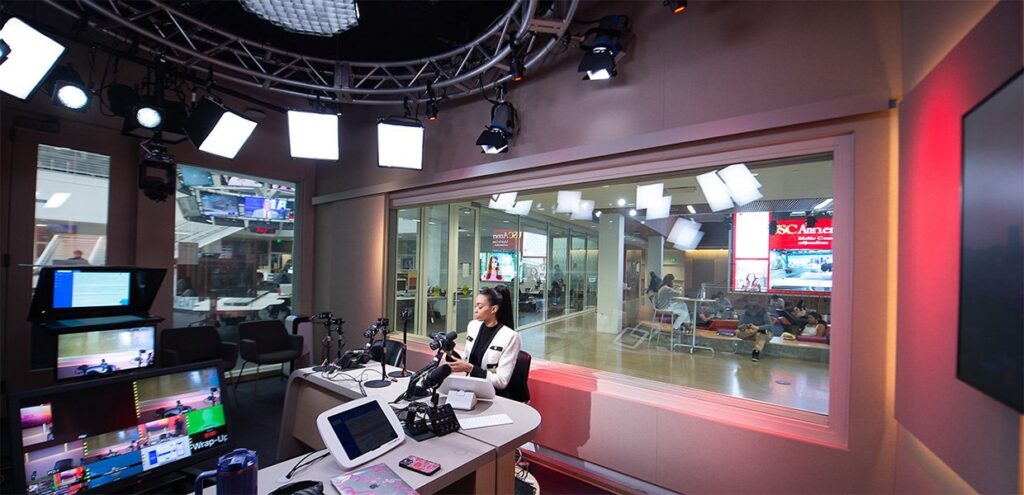
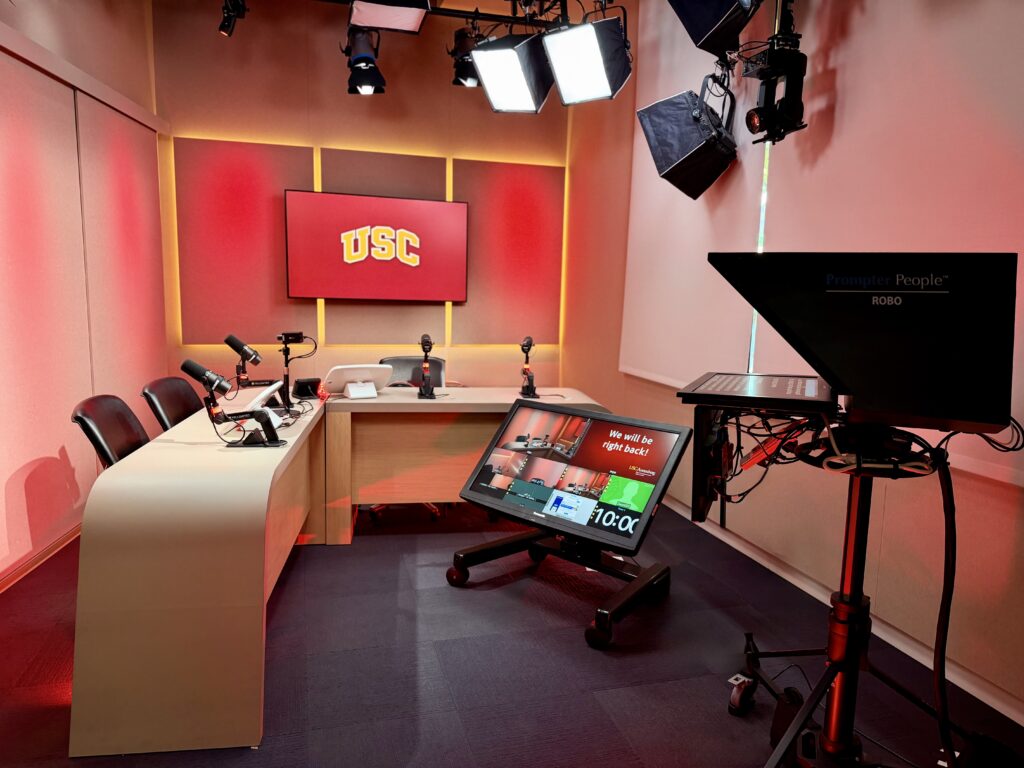
A versatile DIY studio designed to be the future of digital production, the Creator Pod (Studio A) allows students to practice getting comfortable on camera and using a teleprompter by producing their own work through open studio bookings. That can include on-camera in-person or remote interviews, live or streamed programs and the use of graphics — all without needing a crew or control room. The pod also serves as the classroom for a number of USC Annenberg classes.
Who Can Use It*:
- Annenberg Students
- Annenberg Faculty & Staff
- Non-Annenberg Guests: USC students, faculty, and staff (please contact us for info)
*Please note—all studio users must receive a 30-minute training session prior to use. Email annenbergmc@usc.edu to find out more about when trainings are available.
What It Is:
- DIY Broadcast Studio
When It’s Open
Studio A is reservable in one-hour sessions.
During fall/spring semesters:
- Monday-Thursday 8AM-10PM
- Friday 9AM-5PM
All other times:
- Monday-Friday 9AM-5PM
Studio A is closed on weekends.
Where It’s Located:
- 102A at the front of the Annenberg Media Center
Why We Love It:
- Studio A offers a dynamic broadcast alternative to a traditional, heavily staffed television studio
Studio A Open Usage Policy
The Creator Pod “Studio A” is a versatile multi-camera DIY studio for:
- Class assignments
- Livestreaming a podcast or social media content
- Interviews – in-person, Zoom, and phone
- Teleprompter practice
- Creating content
You must be trained in how to use the studio before you can access the equipment.
Reservation Policies:
- Reservations must be made at least 24 hours in advance.
- Reservations are for 1 hour.
- One reservation per day.
- No more than three reservations each week.
- Over bookings will be deleted.
- Walk-ins will be accepted if the studio is not reserved.
- Reservations and walk-ins are first-come, first-serve.
- A more than 15 minutes tardy will be considered a no-show.
- Too many no shows without canceling will result in revoked privileges.
Creator Pod Rules:
- No food or drinks allowed. Only a resealable water bottle.
- Do not move the cameras, lights, sets, or curtains yourself. Ask for assistance.
- Do not abuse the reservation guidelines listed above.
- Failure to follow the rules will result in studio privileges being revoked.
What You Can Do in the Creator Pod:
- Multi-camera recording
- Auto Director switches the cameras for you
- Use podcast mics or wireless mics
- Reading your script copy on the teleprompter
- Images and graphics can be displayed in the set monitor
- Zoom interviews
- Phone interviews
- Connect a slide show to display in the monitor
- Livestream to YouTube
- Make the desk 2-person or 4-person
- Change color of accent lighting
- You may also record in the studio using your own camera
Instructors wishing to reserve the Creator Pod for an entire class period or users wishing to create weekly podcasts/productions must email annenbergmc@usc.edu for review and approval.