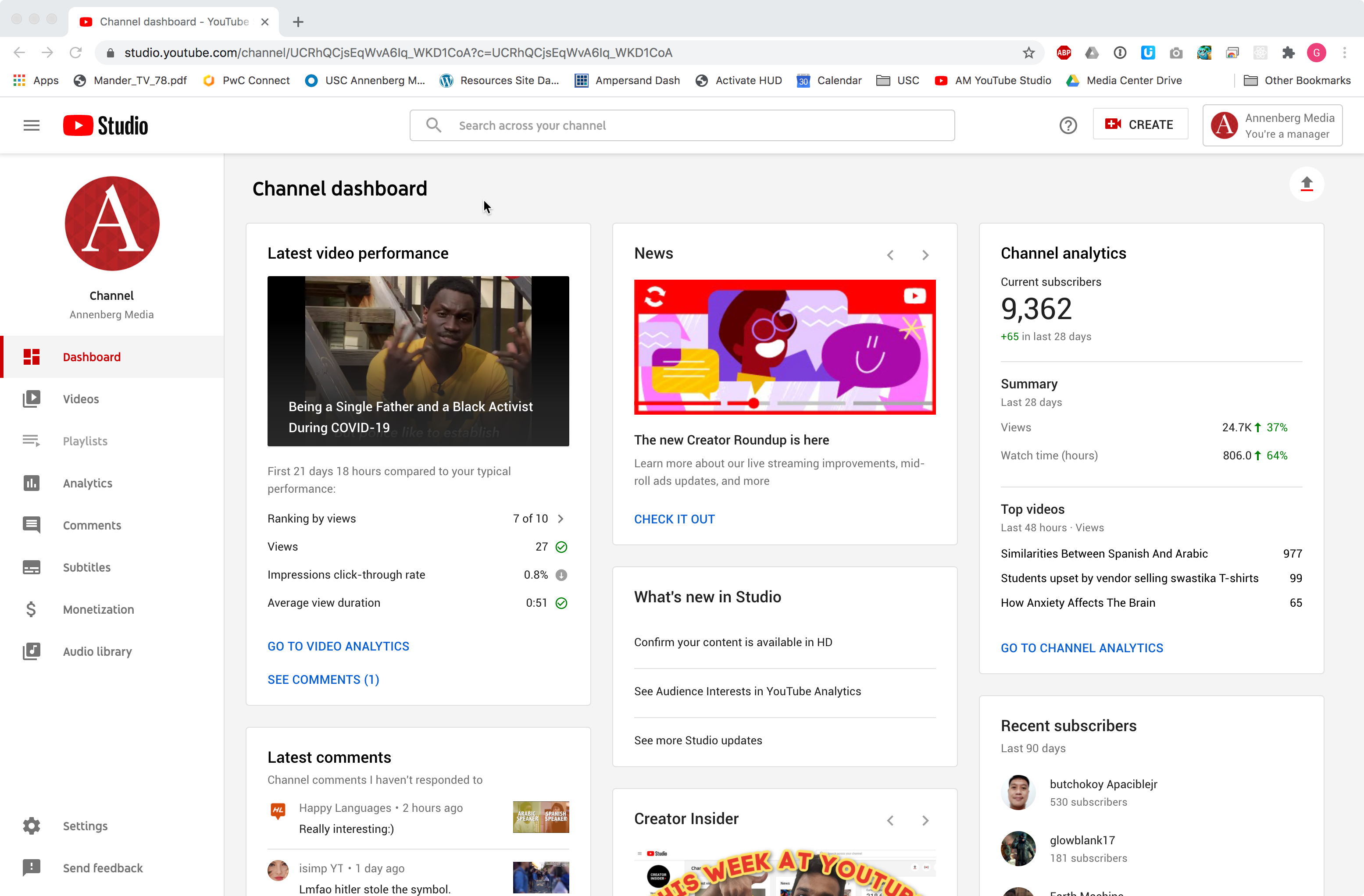
Managing Annenberg Media’s YouTube channel via your USC email
If you’ve been approved as a manager of the Annenberg Media Youtube channel you can upload videos, edit existing content, and do anything else you need to on Youtube without any login beyond your normal USC email.
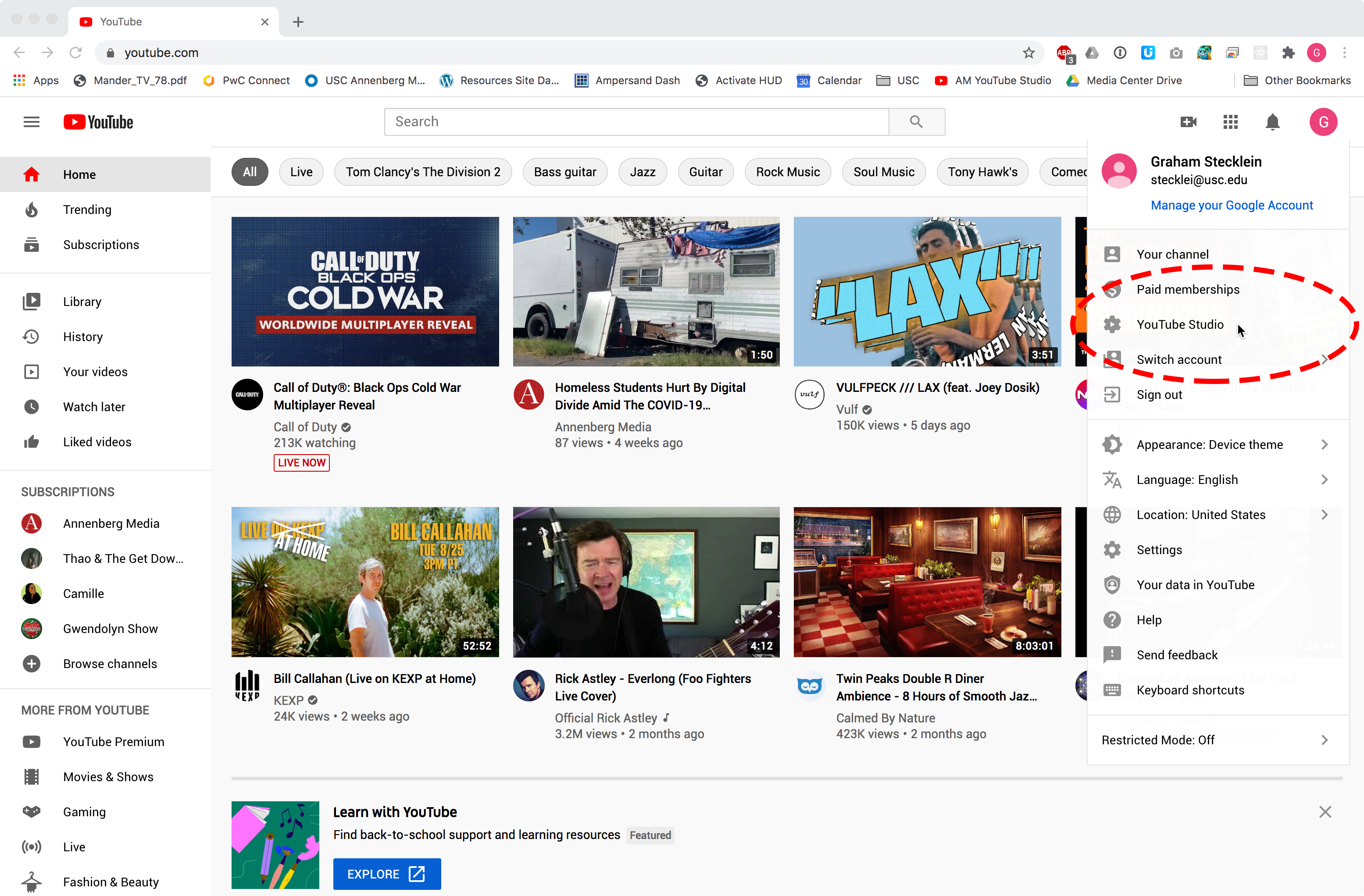
Here’s how you access the channel via Youtube studio. First login to your email, and then go to Youtube.com
1. Click on your user icon in the upper right and select “Youtube Studio.” This is Youtube’s dashboard for managing content, as compared to using Youtube only as a viewer.
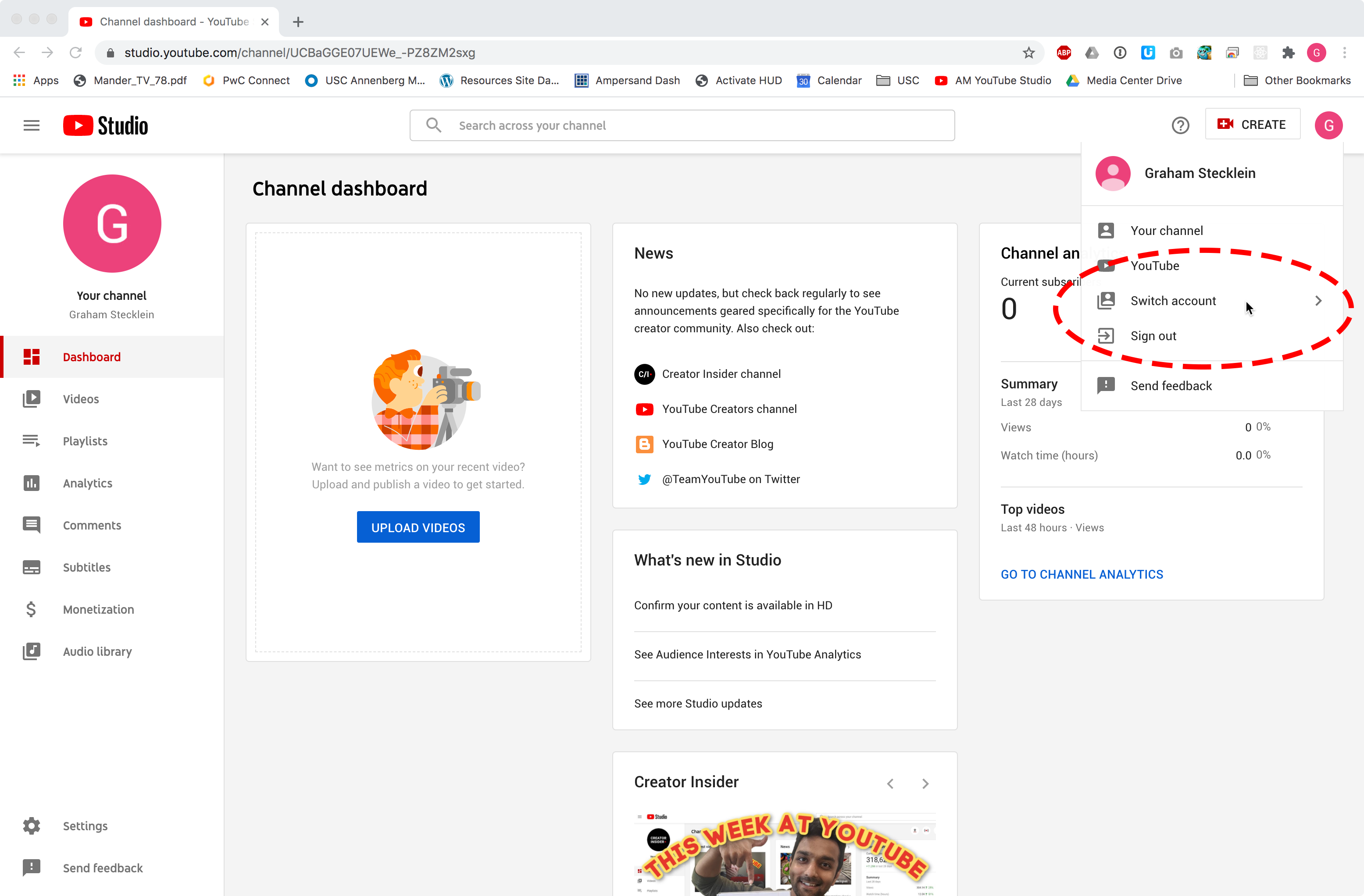
2. Once you’re in Youtube studio, click the user icon in the upper right again, and select “Switch Account.”
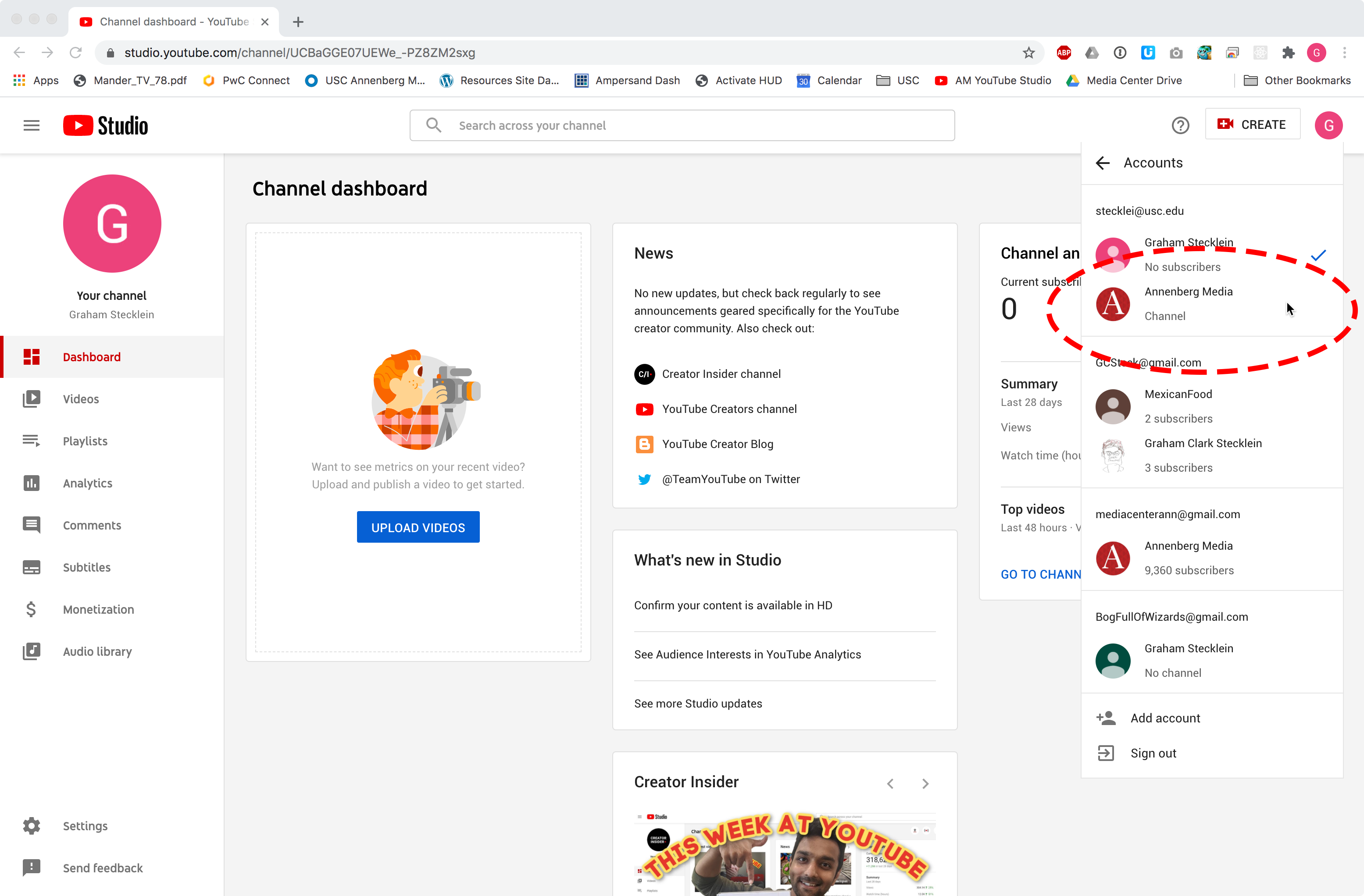
3. Now you’ll see all the channels and accounts connected to your USC email. Select the “Annenberg Media” channel, right underneath your USC email.
4. You’re in! This is our channel dashboard. Bookmark this page, and you can jump right back to it as long as you’re logged into your USC email.